Remember the days when you’d spend your entire morning manually clicking through LinkedIn profiles, sending connection requests one by one?
Yeah, those soul-crushing hours that left you with maybe 20 connections and a serious case of repetitive strain injury.
Here’s the thing: while you’re still doing things the hard way, your competitors are using LinkedIn automation tools to send hundreds of personalized messages, build massive networks, and generate leads while they sleep.
The difference between success and struggle on LinkedIn often comes down to one thing: having the right tools in your arsenal.
And if you’re on this post somehow, then you already know the importance of knowing the best LinkedIn outreach tools for effective lead generation so that you can know which one is the best fit for you.
So let’s get straight into it
Table of Contents
- Why LinkedIn Outreach Tools Matter More Than Ever
- The Game-Changing Benefits of LinkedIn Automation Tools
- LinkedIn Sales Navigator: Your Foundation Tool
- The 10 Best LinkedIn Automation Tools for 2025
- Comprehensive Comparison: Choosing Your Perfect Match
- Chrome Extensions vs. Cloud-Based Tools
- Setting Up Your LinkedIn Outreach System
- Advanced Strategies for Maximum Results
- LinkedIn Outreach Reporting Template
- Common Mistakes That Kill Results
- Measuring Success: KPIs That Matter
- Legal and Ethical Considerations
- Future Trends in LinkedIn Automation
- Getting Started: Your Action Plan
- Frequently Asked Questions
Why LinkedIn Outreach Tools Matter More Than Ever?
LinkedIn isn’t just another social platform anymore—it’s become the goldmine for B2B professionals. With over 900 million users worldwide, it’s where deals get made, partnerships form, and careers take off.
But here’s the catch: trying to navigate this massive network manually is like trying to drain the ocean with a teaspoon.
LinkedIn automation tools have become essential for professionals who want to:
- Scale their outreach without losing personal touch
- Generate consistent leads while focusing on closing deals
- Build meaningful networks faster than humanly possible
- Track and optimize their outreach performance
Think about it this way:
if you’re sending 10 connection requests per day manually, that’s 300 per month and might be taking 1-2 hours of your time.
With the right automation systems, you could be reaching 800+ prospects per LinkedIn profile in the same timeframe—while maintaining quality and personalization.
The competition on LinkedIn is fierce, and the professionals winning are those leveraging smart linkedin automation tools to amplify their efforts.
The Game-Changing Benefits of LinkedIn Automation Tools
1. Efficiency That Actually Matters
Time is money, especially in sales. LinkedIn outreach automation tools eliminate the mind-numbing repetitive tasks that eat up your productive hours:
- Automated connection requests with personalized messages
- Smart follow-up sequences that nurture leads systematically
- Bulk data extraction to build targeted prospect lists
- Scheduled campaigns that work around the clock
Instead of spending 3 hours daily on manual outreach tasks, you can accomplish the same (and more) in 30 minutes of setup time.
2. Personalization at Scale
Here’s where many people get it wrong—they think automation means generic, robotic messages. The best LinkedIn automation tools actually enhance personalization by:
- Using dynamic fields to customize messages with prospect data
- Creating behavior-triggered sequences based on user actions
- A/B testing different message variations to find what works
- Segmenting audiences for hyper-targeted messaging
3. Safety Features That Protect Your Account
LinkedIn has strict policies, and getting banned means losing years of network building. Top-tier LinkedIn outreach automation tools include:
- Human-like behavior mimicking with random delays
- Local IP usage to avoid detection
- Daily and hourly limits that respect LinkedIn’s boundaries
- Smart scheduling that matches your typical activity patterns
4. Analytics That Drive Results
Flying blind is a recipe for failure. Modern automation tools provide detailed insights:
- Connection acceptance rates by industry and message type
- Response rates and conversation metrics
- Campaign ROI tracking
- Lead scoring and qualification data
LinkedIn Sales Navigator: Your Foundation Tool
Before diving into automation, let’s talk about LinkedIn Sales Navigator—the premium tool that supercharges everything else you’ll do on the platform.
Why Sales Navigator Changes Everything
LinkedIn Sales Navigator isn’t just an upgraded LinkedIn account; it’s your strategic advantage for finding and connecting with the right prospects:
Advanced Search Capabilities:
- Filter by company size, industry, seniority level, and geography
- Use boolean search to find prospects with specific skills or interests
- Access LinkedIn’s full database, not just your extended network
- Save searches to monitor new prospects matching your criteria
Lead Management Features:
- Save up to 2,500 leads and organize them into lists
- Get real-time updates when prospects change jobs or post content
- See who’s viewed your profile with premium insights
- Track your outreach history with detailed notes
InMail Messaging:
- Reach anyone on LinkedIn, even without connections
- Higher response rates than cold emails (3x industry average)
- Professional templates and suggested messaging
- Read receipts and response tracking
Sales Navigator + Automation = Lead Generation Goldmine
Here’s where it gets interesting: LinkedIn Sales Navigator becomes exponentially more powerful when combined with automation tools. You can:
- Use Sales Navigator’s advanced search to identify perfect prospects
- Export these leads to your automation tool
- Create personalized outreach sequences
- Track engagement and optimize your approach
| Feature | Basic LinkedIn | Sales Navigator | Navigator + Automation |
|---|---|---|---|
| Search Results | 1,000 results | 2,500+ results | Unlimited with tools |
| Monthly InMails | 0 | 50 Credits + 200-300 to Open Profiles | Automated sequences |
| Lead Tracking | Manual notes | Organized lists | CRM integration |
| Outreach Volume | 20-30/day | 50-100/day | 300-500/day |
The 10 Best LinkedIn Automation Tools for 2025
Let’s dive into the tools that are transforming how professionals approach LinkedIn outreach. Each has unique strengths, and choosing the right one depends on your specific needs, budget, and scale.
1. HeyReach: The Agency Powerhouse
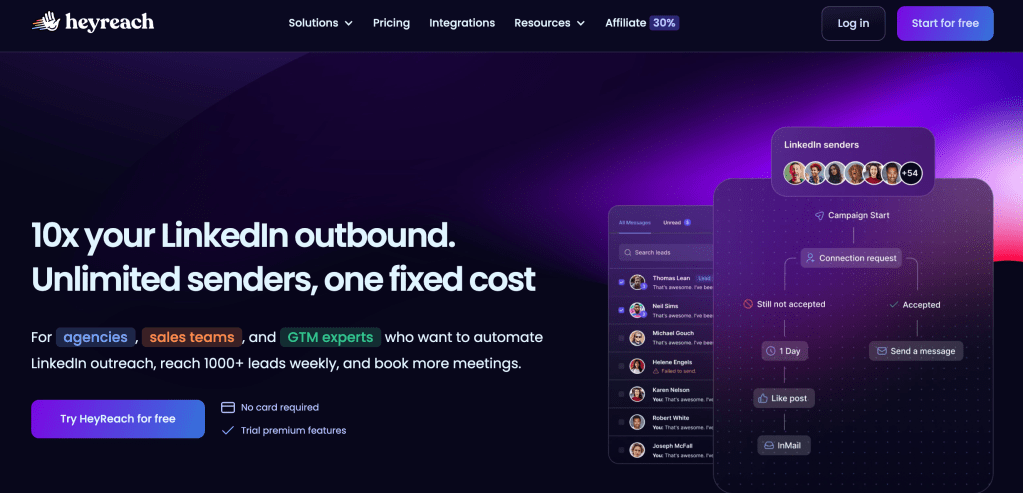
HeyReach is specifically engineered for large-scale LinkedIn automation, making it the go-to choice for agencies managing dozens or hundreds of LinkedIn accounts simultaneously.
What Makes HeyReach Unique:
HeyReach stands out as the premier LinkedIn outreach automation tool for agencies and enterprises that need to manage massive multi-account operations safely and efficiently.
Multi-Account Management at Scale:
- 50+ LinkedIn accounts managed from a single dashboard
- Automatic account rotation to distribute outreach load
- Account health monitoring with real-time risk assessment
- Team-based account assignment for distributed management
Advanced Safety Architecture:
- Dedicated proxy rotation for each account
- Account-specific behavior patterns to avoid detection
- Smart limits that adapt to individual account history
- Real-time policy compliance monitoring and updates
Agency-Specific Features:
- White-label dashboard for client reporting
- Client account isolation with separate data management
- Custom branding options for agency presentations
- Multi-tier user permissions for team hierarchy management
Enterprise-Grade Infrastructure:
- 99.9% uptime with redundant cloud servers
- SOC 2 compliance for data security
- API access for custom integrations
- 24/7 technical support with dedicated account managers
Pricing:
- Starter: Individual pricing starts at $79/month/sender
- Agency Plan: $999/month for 50 accounts
- Enterprise Plan: $1,999/month for unlimited accounts
Integration Capabilities:
- CRM synchronization with Salesforce, HubSpot, Pipedrive
- Webhook support for real-time data transfer
- Zapier connectivity for workflow automation
- Custom API for proprietary system integration
Reporting and Analytics:
- Cross-account performance dashboards
- Client-specific reporting with white-label options
- Campaign attribution tracking across multiple accounts
- ROI calculations with agency markup considerations
Best For: Large agencies, enterprise sales teams, and organizations managing 50+ LinkedIn accounts with needs for advanced safety, compliance, and client management features.
2. GetSales.io: The Team Collaboration Leader
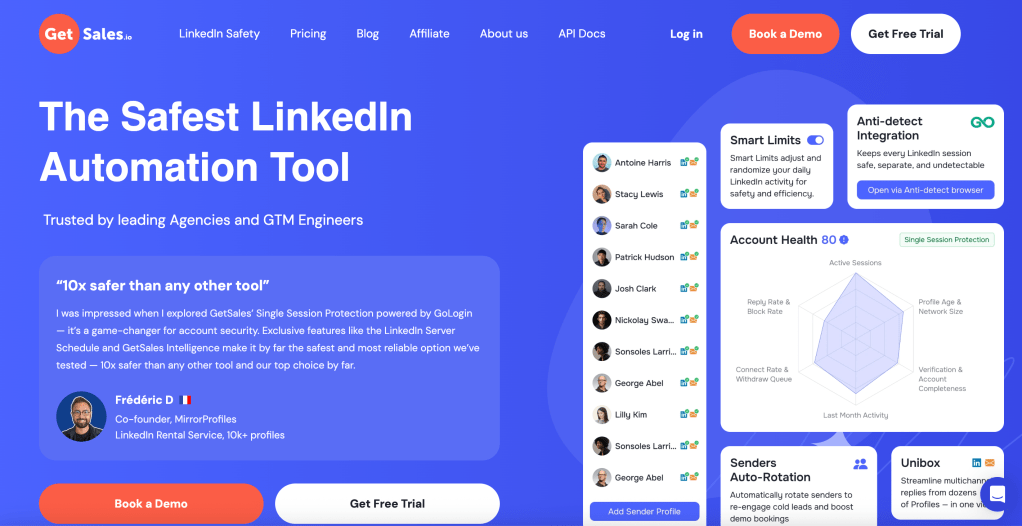
GetSales.io positions itself as the comprehensive solution for teams that need seamless LinkedIn and email outreach integration with robust collaboration features.
What Sets GetSales.io Apart:
GetSales.io excels as a Multichannel outreach automation tool that combines Linkedin + cold email capabilities with team-focused features, making it ideal for sales teams and growing businesses.
Multi-Channel Integration:
- LinkedIn + Email campaigns in unified sequences
- Cross-channel follow-up automation
- Unified inbox for managing all prospect communications
- Channel performance comparison for optimization insights
Team Collaboration Features:
- Shared campaign templates and message libraries
- Lead assignment rules and territory management
- Team performance dashboards and leaderboards
- Collaborative prospect notes and history tracking
Advanced Personalization:
- Dynamic content insertion based on prospect data
- A/B testing across multiple message variations
- Smart scheduling based on prospect time zones
- Behavioral triggers for timely follow-ups
Safety and Compliance:
- Account-specific limits based on profile characteristics
- Human behavior simulation with advanced randomization
- IP rotation and proxy management
- Compliance monitoring with policy updates
Workflow Automation:
- Multi-step sequences with conditional branching
- Response detection and automatic categorization
- Task automation for follow-up reminders
- Pipeline integration with stage progression tracking
Pricing:
- Professional: $79/month per LinkedIn account
- Team: $199/month for 5 Sender Profiles
- Enterprise: $299/month for 10 sender profiles
CRM Integration:
- Native integrations with major CRM platforms
- Bi-directional sync for contact and activity data
- Custom field mapping for data consistency
- Automated lead scoring based on engagement
Analytics and Reporting:
- Team performance metrics and individual contributions
- Campaign ROI tracking with attribution modeling
- Response rate optimization suggestions
- Conversion funnel analysis from initial contact to close
Use Cases:
- Sales teams needing coordinated outreach campaigns
- Marketing agencies managing client LinkedIn strategies
- Business development teams with complex nurturing workflows
- Recruitment firms with multi-channel candidate engagement
Best For: Sales teams, marketing agencies, and businesses that need powerful multi-channel automation with strong team collaboration features and comprehensive analytics.
3. Dux-Soup: The Reliable Starter Choice

Dux-Soup has earned its reputation as one of the most trusted LinkedIn automation tools for good reason—it strikes the perfect balance between functionality and simplicity.
What Makes Dux-Soup Special:
- Chrome extension that works directly with LinkedIn
- Custom delays between actions to mimic human behavior
- Dux-Dash analytics dashboard for campaign tracking
- CRM integration with popular platforms like HubSpot and Pipedrive
Key Features That Drive Results:
- Automated connection requests with personalized messaging
- Profile visits to increase visibility and reciprocal views
- Follow-up message sequences to nurture relationships
- Lead tagging and organization for better management
- CSV export for seamless data transfer
Safety Features:
- Respects LinkedIn’s daily limits automatically
- Random delays between actions (30 seconds to 5 minutes)
- Local machine operation reduces detection risk
- Regular updates to stay compliant with LinkedIn changes
Pricing:
- Turbo Plan: $14.99/month – Perfect for individual professionals
- Pro Plan: $55/month – Includes advanced features and integrations
- Cloud Plan: $99/month – Cloud-based operation for teams
Real User Results: “Dux-Soup increased my connection acceptance rate from 15% to 47%. The personalized messaging feature makes all the difference.” – Sarah M., Sales Director
Best For: Individual professionals and small teams starting with LinkedIn automation who want proven results without complexity.
4. Expandi: The Scalability Champion

When you’re ready to take your LinkedIn outreach to enterprise levels, Expandi delivers the power and safety features needed for large-scale campaigns.
What Sets Expandi Apart:
Expandi is a cloud-based LinkedIn outreach automation tool designed for businesses serious about scaling their lead generation efforts safely.
Advanced Safety Architecture:
- Dedicated IP addresses for each account to prevent cross-contamination
- Smart limits that adapt to your account age and activity history
- Human behavior simulation with advanced randomization
- Account warm-up sequences for new profiles
Multi-Channel Capabilities:
- LinkedIn + Email automation in unified campaigns
- Cross-platform lead tracking and nurturing
- Automated email follow-ups when LinkedIn messages go unanswered
- Webhook integrations for real-time data sync
Team Collaboration Features:
- Multi-account management from a single dashboard
- Role-based access control for team members
- Campaign templates for consistent messaging across accounts
- Shared lead pools and assignment rules
Advanced Analytics:
- A/B testing for messages, connection requests, and sequences
- Conversion tracking from initial contact to closed deal
- Performance benchmarking against industry standards
- ROI calculations with customizable attribution models
Pricing:
- Individual Plan: $99/month per LinkedIn account
- Agency Plan: $166/month per account (3+ accounts)
- Enterprise: Custom pricing with dedicated support
Integration Ecosystem:
- CRM integrations: Salesforce, HubSpot, Pipedrive, Zoho
- Email platforms: Gmail, Outlook, Mailchimp
- Zapier connectivity for custom workflow automation
Best For: Growing businesses, agencies, and enterprises that need bulletproof safety, advanced features, and multi-channel automation.
5. LinkedHelper: The Power User’s Dream

LinkedHelper caters to professionals who want granular control over every aspect of their LinkedIn automation campaigns.
What Makes LinkedHelper Unique:
Desktop-based operation gives you complete control and enhanced security while offering features that cloud-based tools often can’t match.
Advanced Workflow Automation:
- Multi-step campaigns with complex branching logic
- Conditional messaging based on prospect responses
- Group targeting for engaging with LinkedIn group members
- Event-based triggers that respond to prospect actions
Built-in CRM Functionality:
- Lead scoring algorithms to prioritize high-value prospects
- Pipeline management with customizable stages
- Activity tracking across all touchpoints
- Task automation for follow-up reminders
Data Management Excellence:
- Advanced filtering and prospect segmentation
- Custom fields for prospect data organization
- Bulk import/export capabilities
- Duplicate detection and management
Pricing Options:
- Standard License: $15 one-time fee (basic features)
- Business License: $45 one-time fee (advanced features)
- Agency License: $95 one-time fee (unlimited accounts)
Unique Advantages:
- One-time payment model (no recurring subscriptions)
- Highly customizable workflow builder
- Advanced prospect research tools
- Works offline once configured
Best For: Power users, agencies, and businesses that need maximum customization and prefer one-time payments over subscriptions.
6. PhantomBuster: The Multi-Platform Powerhouse
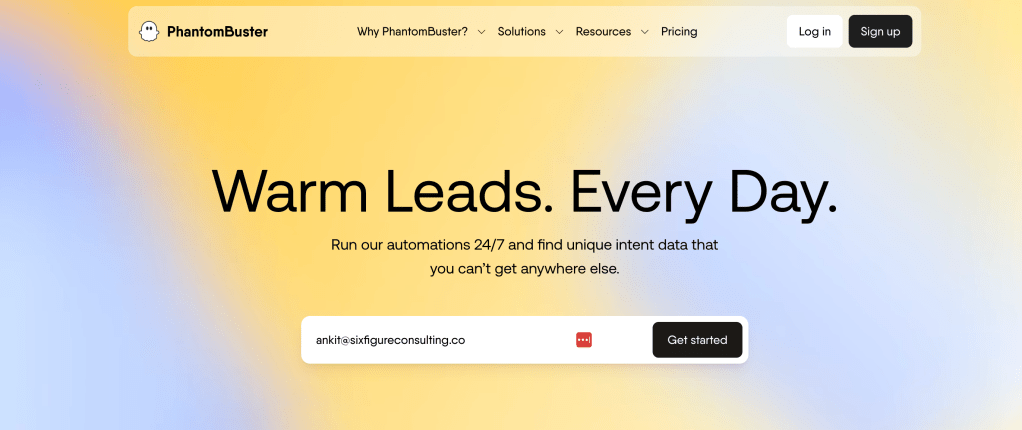
PhantomBuster goes beyond LinkedIn, offering automation across multiple social platforms while maintaining LinkedIn as a core focus.
Platform Versatility: While excelling as a LinkedIn outreach automation tool, PhantomBuster also automates:
- Twitter engagement and lead generation
- Facebook group mining and outreach
- Instagram audience building
- Google Maps business prospecting
Pre-Built “Phantoms” for LinkedIn:
- LinkedIn Network Booster: Automated connection requests with personalization
- LinkedIn Message Sender: Bulk messaging with conversation tracking
- LinkedIn Post Commenters/Likers Extractor: Mine engaged audiences
- LinkedIn Sales Navigator Search Export: Advanced prospecting lists
Data Extraction Capabilities:
- Company employee lists for account-based marketing
- Event attendee information for targeted outreach
- Group member exports for niche audience targeting
- Competitor connection analysis for strategic insights
No-Code Automation:
- Drag-and-drop workflow builder
- Template library for common automation tasks
- Schedule-based execution with custom timing
- API integrations for advanced users
Pricing:
- Starter: $69/month (10,000 operations)
- Pro: $159/month (50,000 operations)
- Team: $439/month (200,000 operations)
Best For: Digital marketers and businesses needing multi-platform automation with powerful data extraction capabilities.
7. Meet Alfred: The All-in-One Solution
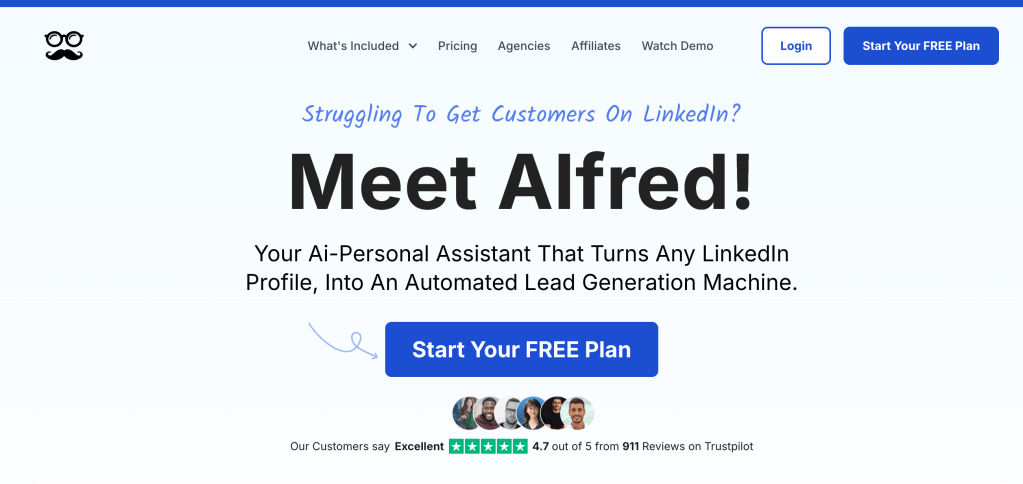
Meet Alfred positions itself as the comprehensive platform for multi-channel outreach, with LinkedIn automation as its cornerstone.
Multi-Channel Outreach:
- LinkedIn + Email + Twitter in unified campaigns
- Sequence branching based on prospect responses across channels
- Channel prioritization to avoid overwhelming prospects
- Cross-channel analytics for comprehensive performance tracking
Team Collaboration Features:
- Role-based access for team members and clients
- Campaign sharing and template libraries
- Lead assignment rules and territory management
- Client reporting dashboards for agencies
Advanced Personalization:
- Dynamic content insertion based on prospect data
- AI-powered message suggestions and optimization
- Behavioral triggers for timely follow-ups
- Custom variables for hyper-personalization
Safety and Compliance:
- Account-specific limits based on profile maturity
- Time zone awareness for natural messaging patterns
- IP rotation for enhanced security
- LinkedIn policy compliance monitoring
Pricing:
- Individual: $49/month (1 user, 1 LinkedIn account)
- Business: $99/month (3 users, 3 LinkedIn accounts)
- Agency: $199/month (unlimited users, 10 LinkedIn accounts)
Built-in CRM:
- Pipeline management with customizable stages
- Lead scoring and qualification automation
- Task management and follow-up reminders
- Integration hub for external CRM systems
Best For: Teams and agencies wanting an all-in-one solution for multi-channel outreach with strong collaboration features.
8. We-Connect: The Cloud-Based Specialist
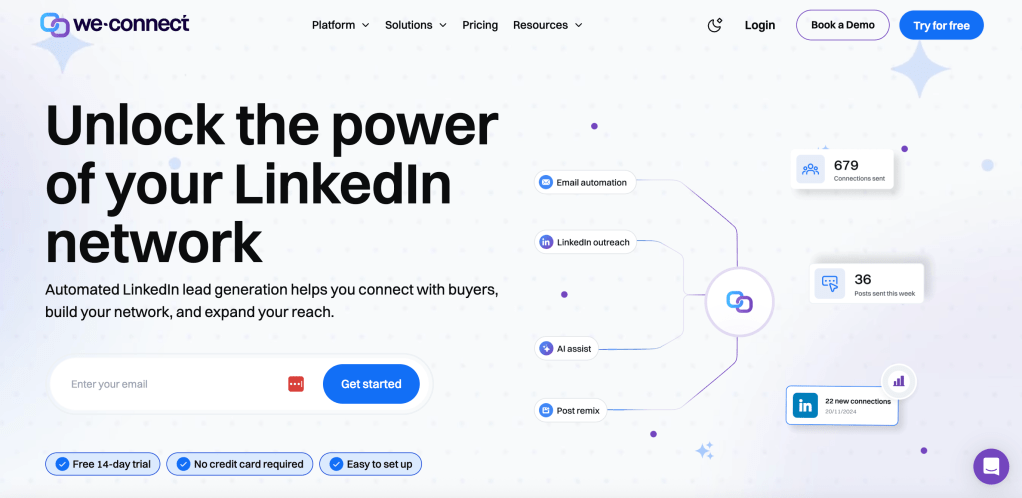
We-Connect focuses specifically on LinkedIn automation with a cloud-based approach that emphasizes safety and reliability.
Cloud-Based Advantages:
- 24/7 operation without keeping your computer running
- Consistent performance regardless of your local setup
- Automatic updates and maintenance
- Scalable infrastructure that grows with your needs
Safety-First Approach:
- Account-specific limits tailored to your profile
- Natural behavior patterns with advanced randomization
- IP address management to prevent detection
- Gradual scaling to build account authority safely
Campaign Management:
- Multi-step sequences with conditional logic
- Response tracking and conversation management
- A/B testing for message optimization
- Performance analytics with actionable insights
Integration Capabilities:
- CRM synchronization with major platforms
- Webhook support for real-time data transfer
- CSV import/export for lead management
- API access for custom integrations
Pricing:
- Growth: $69/month (LinkedIn Outreach)
- Business: $79/month (Multichannel Outreach)
- Custom: +10 Seats (API)
Best For: Professionals who want reliable cloud-based automation with strong safety features and don’t need multi-platform capabilities.
9. Lemlist: The Multi-Channel Master

Lemlist has established itself as the go-to platform for professionals who need seamless integration between email and LinkedIn outreach in unified, multichannel campaigns.
What Makes Lemlist Unique:
Lemlist stands out as a LinkedIn outreach automation tool that excels at combining email and LinkedIn automation in sophisticated, multi-touch sequences that feel natural and personal.
Multi-Channel Campaign Excellence:
- Email + LinkedIn integration in seamless workflows
- Cross-channel follow-up sequences that adapt based on prospect responses
- Unified prospect management across all touchpoints
- Channel prioritization to avoid overwhelming prospects
Advanced Personalization Features:
- Dynamic image personalization with prospect names and logos
- Voice Note personalization at scale with custom thumbnails
- Website screenshot integration for contextual messaging
- AI-powered personalization suggestions based on prospect data
LinkedIn-Specific Capabilities:
- Automated connection requests with personalized messaging
- LinkedIn message sequences integrated with email follow-ups
- Profile visit automation to increase visibility
- LinkedIn + Email A/B testing for optimization
Deliverability and Safety:
- Email warm-up included to protect sender reputation
- LinkedIn limits respect with human behavior mimicking
- Multiple email account rotation for scale
- Spam monitoring and deliverability optimization
Campaign Management:
- Visual campaign builder with drag-and-drop interface
- Conditional logic based on prospect actions and responses
- Multi-step sequences with unlimited follow-ups
- Response detection and automatic campaign pausing
Analytics and Optimization:
- Cross-channel performance tracking and attribution
- Email deliverability monitoring with detailed metrics
- LinkedIn engagement rates and response analysis
- A/B testing results with statistical significance
Integration Ecosystem:
- CRM synchronization with HubSpot, Salesforce, Pipedrive
- Zapier connectivity for custom workflow automation
- API access for advanced integrations
- Webhook support for real-time data transfer
Pricing:
- Lemlist Cold Email: $29/month (email only)
- Lemlist Sales Engagement: $49/month (email + LinkedIn)
- Lemlist Outreach Scale: $99/month (advanced features + team collaboration)
Team Collaboration Features:
- Shared campaign templates and message libraries
- Team performance dashboards and individual metrics
- Lead assignment rules and territory management
- Collaborative prospect notes and activity tracking
Use Cases:
- Sales teams needing coordinated email + LinkedIn outreach
- Marketing agencies managing client multi-channel campaigns
- Business development professionals with complex nurturing sequences
- Recruitment firms with candidate engagement across platforms
Advanced Features:
- Custom tracking domains for professional email links
- Email scheduling based on recipient time zones
- LinkedIn connection request personalization with prospect data
- Automated follow-up pausing when prospects respond
Safety and Compliance:
- GDPR compliance with data protection measures
- Email authentication setup (SPF, DKIM, DMARC)
- LinkedIn policy adherence with automatic limit enforcement
- Bounce and unsubscribe handling automation
Real User Results: “Lemlist’s combination of email and LinkedIn automation increased our response rates by 340%. The personalized images and videos make our outreach stand out.” – Michael R., Sales Director
Integration Benefits:
- Seamless data flow between email and LinkedIn campaigns
- Unified reporting for complete campaign visibility
- Cross-channel attribution for accurate ROI tracking
- Centralized prospect management across all touchpoints
Best For: Sales teams, marketing agencies, and businesses that need powerful multi-channel automation combining email and LinkedIn outreach with advanced personalization and team collaboration features.
10. Waalaxy: The Outreach Specialist
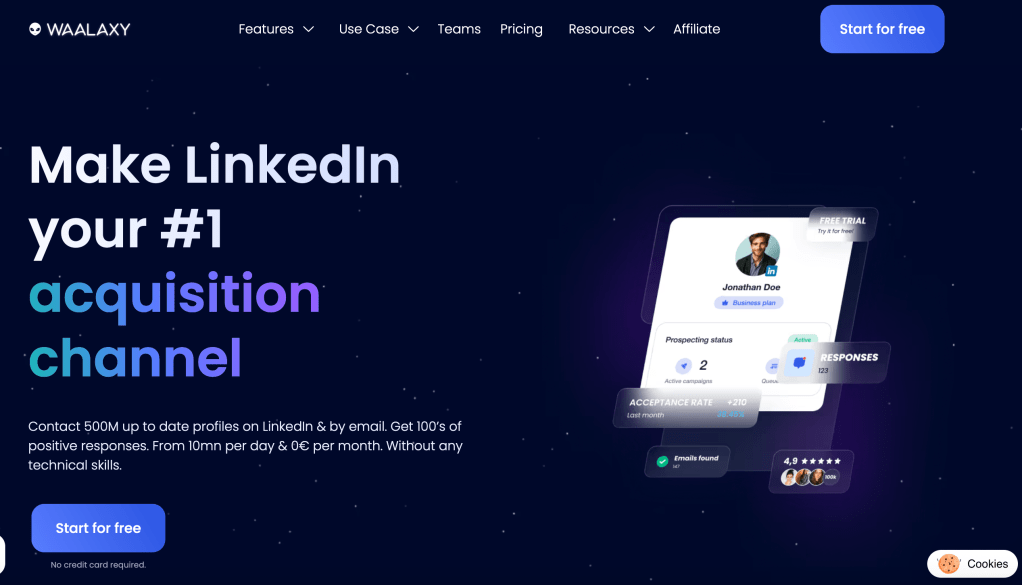
Waalaxy specifically soloprenuers and large teams for their LinkedIn automation capabilities.
B2B-Focused Features:
- Account-based marketing integration
- Sales team collaboration tools
- Enterprise security standards
- Scalable infrastructure for large organizations
Advanced Campaign Management:
- Multi-touch sequences across extended timeframes
- Trigger-based messaging responding to prospect actions
- Campaign attribution tracking through sales cycles
- Territory management for distributed sales teams
Integration Ecosystem:
- Salesforce native integration with bi-directional sync
- HubSpot workflows and automation triggers
- Slack notifications for team collaboration
- Zapier connectivity for custom integrations
Enterprise Security:
- SOC 2 compliance for data protection
- Single sign-on (SSO) integration
- Role-based permissions and access control
- Audit trails for compliance reporting
Pricing:
- Professional: $197/month per user
- Team: $347/month per user (advanced features)
- Enterprise: Custom pricing with dedicated support
Best For: Enterprise B2B sales teams needing sophisticated automation with enterprise-grade security and extensive integrations.
Comprehensive Comparison: Choosing Your Perfect Match
| Tool | Best For | Monthly Price | Key Strength | Safety Level |
|---|---|---|---|---|
| Dux-Soup | Beginners & Small Teams | $11-$42 | Reliable & Easy | High |
| Expandi | Scaling Businesses | $99+ | Multi-channel Power | Very High |
| LinkedHelper | Power Users | $15 (one-time) | Maximum Control | Medium |
| PhantomBuster | Multi-platform Needs | $69-$439 | Data Extraction | Medium |
| Meet Alfred | Team Collaboration | $49-$199 | All-in-one Solution | High |
| We-Connect | Cloud-based Automation | $49-$199 | Simple & Reliable | High |
| Prosp | Feature-rich AI | $40 | Value for Money | High |
| Lemlist | Multi-Channel Outreach | $197+ | Email + LinkedIn Integration | High |
| HeyReach | Large Agencies | $799+ | Multi-Account Scale | Very High |
| GetSales.io | Teams & Multi-Channel | $79+ | LinkedIn + Email Integration | High |
Chrome Extensions vs. Cloud-Based Tools: The Critical Decision
Understanding this distinction is crucial for making the right choice:
Chrome Extension Tools (Dux-Soup, LinkedHelper, Octopus CRM)
Advantages:
- Lower cost entry point for testing automation
- Direct LinkedIn integration without third-party servers
- Complete control over your data and processes
- Immediate setup without complex configurations
Disadvantages:
- Computer dependency – requires your machine running
- Single account limitation in most cases
- Higher maintenance requirements
- Limited scalability for growing teams
Cloud-Based Tools (Expandi, We-Connect, Zopto)
Advantages:
- 24/7 operation without computer dependency
- Multi-account management for teams and agencies
- Enhanced security with dedicated IP addresses
- Automatic updates and maintenance
- Superior scalability for growing operations
Disadvantages:
- Higher cost structure
- Data on third-party servers (security consideration)
- Dependency on service provider reliability
- Potential learning curve for setup
Setting Up Your LinkedIn Outreach System: Step-by-Step Guide
Phase 1: Foundation Setup (Week 1)
1. Optimize Your LinkedIn Profile Your profile is the first impression prospects get. Ensure:
- Professional headshot with genuine smile
- Compelling headline that states value proposition
- Summary that speaks to your target audience’s pain points
- Experience section with quantified achievements
- Industry-relevant skills and endorsements
2. Define Your Ideal Customer Profile (ICP)
- Company size (employee count, revenue)
- Industry verticals and sub-segments
- Geographic location and market focus
- Job titles and seniority levels of decision-makers
- Common pain points and challenges they face
3. Choose Your Tool Stack Based on your requirements:
- Individual professional: Dux-Soup + LinkedIn Sales Navigator
- Small team (2-5 people): Meet Alfred + LinkedIn Sales Navigator
- Growing business: Expandi + LinkedIn Sales Navigator + CRM
- Enterprise: Zopto + LinkedIn Sales Navigator + Full CRM Suite
Phase 2: Campaign Development (Week 2)
1. Message Sequence Creation Develop 3-5 touch sequence:
Touch 1 – Connection Request:
Hi [First Name], I noticed you're leading [specific initiative/role] at [Company]. I've been helping similar [industry] leaders [specific value proposition]. Would love to connect and share some insights that might be relevant to your work.
Touch 2 – Thank You + Value (3 days later):
Thanks for connecting, [First Name]. I saw your recent post about [specific topic] - that's exactly the challenge I've been helping [similar role] professionals solve. Here's a [resource/insight] that might be valuable: [specific tip or link].
Touch 3 – Case Study/Social Proof (1 week later):
[First Name], thought you might find this interesting - I just helped [similar company] [specific result]. The approach we used might be relevant for [their specific challenge]. Worth a quick 15-minute conversation?
2. Targeting Strategy
- Start with 100-200 highly qualified prospects
- Test message variations with A/B splits
- Monitor acceptance and response rates daily
- Refine targeting based on performance data
Phase 3: Launch and Optimization (Week 3-4)
1. Conservative Launch
- Start with 20-30 connection requests per day
- Monitor account health indicators
- Track acceptance rates (aim for 40%+)
- Measure response rates (target 15%+)
2. Performance Optimization
- A/B test different message variations
- Adjust timing based on prospect time zones
- Refine targeting based on response quality
- Scale gradually based on positive results
3. Follow-up and Nurturing
- Respond promptly to prospect replies
- Move conversations off LinkedIn when appropriate
- Use CRM to track conversation stages
- Schedule follow-up calls or demos
Advanced Strategies for Maximum Results
1. The Multi-Touch Attribution Approach
Don’t rely solely on LinkedIn. Create integrated campaigns:
Touch Point 1: LinkedIn connection request Touch Point 2: Email follow-up (if no response) Touch Point 3: LinkedIn message with valuable content
Touch Point 4: Phone call or LinkedIn InMail Touch Point 5: Email with case study or social proof
2. Content-Driven Engagement Strategy
Before direct outreach, engage with prospects’ content:
- Like and comment meaningfully on their posts
- Share their content with added insights
- Mention them in relevant posts or articles
- Create content addressing their industry challenges
3. Account-Based Marketing Integration
For enterprise prospects:
- Research account thoroughly before outreach
- Coordinate messaging across multiple stakeholders
- Create account-specific content and resources
- Use multiple team members for different touchpoints
LinkedIn Outreach Reporting Template
Effective reporting is crucial for optimizing your LinkedIn automation tools performance. Use this comprehensive template to track, analyze, and improve your outreach campaigns.
Weekly Campaign Performance Report
Campaign Overview:
- Campaign Name: ________________________
- Date Range: ___________________________
- Target Audience: ______________________
- Tools Used: ___________________________
Core Metrics Dashboard
| Metric | This Week | Last Week | % Change | Monthly Goal |
|---|---|---|---|---|
| Outreach Volume | ||||
| Connection Requests Sent | ___ | ___ | ___% | ___ |
| Messages Sent | ___ | ___ | ___% | ___ |
| Profile Views | ___ | ___ | ___% | ___ |
| Response Metrics | ||||
| Connections Accepted | ___ | ___ | ___% | ___ |
| Acceptance Rate | ___% | ___% | ___% | ___% |
| Message Replies | ___ | ___ | ___% | ___ |
| Reply Rate | ___% | ___% | ___% | ___ |
| Conversion Metrics | ||||
| Qualified Leads | ___ | ___ | ___% | ___ |
| Meetings Booked | ___ | ___ | ___% | ___ |
| Opportunities Created | ___ | ___ | ___% | ___ |
| Deals Closed | ___ | ___ | ___% | ___ |
Message Performance Analysis
Connection Request Performance:
| Message Variation | Sent | Accepted | Rate | Notes |
|---|---|---|---|---|
| Version A: ____________ | ___ | ___ | ___% | ____________ |
| Version B: ____________ | ___ | ___ | ___% | ____________ |
| Version C: ____________ | ___ | ___ | ___% | ____________ |
Follow-up Message Performance:
| Sequence Step | Sent | Replies | Rate | Quality Score |
|---|---|---|---|---|
| Step 1: ____________ | ___ | ___ | ___% | ___/10 |
| Step 2: ____________ | ___ | ___ | ___% | ___/10 |
| Step 3: ____________ | ___ | ___ | ___% | ___/10 |
Audience Targeting Analysis
Performance by Industry:
| Industry | Connections | Acceptance Rate | Response Rate | Lead Quality |
|---|---|---|---|---|
| ____________ | ___ | ___% | ___% | ___/10 |
| ____________ | ___ | ___% | ___% | ___/10 |
| ____________ | ___ | ___% | ___% | ___/10 |
Performance by Job Title:
| Job Title | Connections | Acceptance Rate | Response Rate | Conversion Rate |
|---|---|---|---|---|
| ____________ | ___ | ___% | ___% | ___% |
| ____________ | ___ | ___% | ___% | ___% |
| ____________ | ___ | ___% | ___% | ___% |
Account Safety Monitoring
Daily Activity Tracking:
| Day | Connections Sent | Messages Sent | Profile Views | Account Warnings |
|---|---|---|---|---|
| Monday | ___ | ___ | ___ | None/Warning |
| Tuesday | ___ | ___ | ___ | None/Warning |
| Wednesday | ___ | ___ | ___ | None/Warning |
| Thursday | ___ | ___ | ___ | None/Warning |
| Friday | ___ | ___ | ___ | None/Warning |
Safety Checklist:
- [ ] Stayed within daily connection limits (max 100)
- [ ] Maintained natural timing patterns
- [ ] Used personalized messaging (no generic templates)
- [ ] Responded to all prospect replies within 4 hours
- [ ] No LinkedIn warnings or restrictions received
ROI and Cost Analysis
Tool Investment:
- LinkedIn Sales Navigator: $______/month
- Automation Tool: $______/month
- CRM Integration: $______/month
- Staff Time (hours × rate): $______/month
- Total Monthly Investment: $______
Revenue Attribution:
- Pipeline Value Generated: $______
- Deals Closed This Month: $______
- Average Deal Size: $______
- Monthly ROI: ______%
Key Insights and Optimizations
What’s Working Well:
Areas for Improvement:
Action Items for Next Week:
- [ ] ________________________________
- [ ] ________________________________
- [ ] ________________________________
Message Testing Plan:
- Test A: ____________________________
- Test B: ____________________________
- Success Metric: ____________________
Competitive Intelligence
Competitor Analysis:
- Competitor connections this week: ____
- Their messaging approach: ____________
- Response rate observations: __________
- Opportunities identified: ____________
Monthly Trend Analysis
3-Month Performance Trend:
| Month | Connections | Acceptance Rate | Response Rate | Deals Closed |
|---|---|---|---|---|
| Month 1 | ___ | ___% | ___% | ___ |
| Month 2 | ___ | ___% | ___% | ___ |
| Month 3 | ___ | ___% | ___% | ___ |
Report Prepared By: ________________
Date: ________________
Next Review Date: ________________
Common LinkedIn Outreach Mistakes That Kill Results
1. Generic Messaging at Scale
The Problem: Using the same message for everyone
The Solution: Segment audiences and personalize based on:
- Industry-specific pain points
- Company size and challenges
- Role-specific responsibilities
- Recent company news or achievements
2. Ignoring Response Quality
The Problem: Focusing only on quantity metrics
The Solution: Track and optimize for:
- Meeting booking rates
- Qualified lead conversion
- Pipeline velocity and deal size
- Customer lifetime value
3. Over-Automation Without Human Touch
The Problem: Automating everything including responses The Solution: Maintain human involvement in:
- Initial response to prospect replies
- Discovery calls and needs assessment
- Proposal and negotiation processes
- Relationship building activities
4. Neglecting Account Safety
The Problem: Aggressive automation leading to restrictions The Solution: Implement safety best practices:
- Gradual ramp-up of activity levels
- Natural timing patterns and delays
- Regular monitoring of account health
- Compliance with LinkedIn’s latest policies
Measuring LinkedIn Outreach Success: KPIs That Matter
Primary Metrics
Connection Metrics:
- Connection request acceptance rate (target: 40%+)
- Weekly connection growth rate
- Network quality score (engagement levels)
Engagement Metrics:
- Message response rate (target: 15%+)
- Conversation-to-meeting conversion (target: 20%+)
- Meeting-to-opportunity conversion (target: 30%+)
Revenue Metrics:
- Pipeline value generated from LinkedIn
- Cost per qualified lead (CPL)
- Customer acquisition cost (CAC) from LinkedIn
- Return on investment (ROI) for tool costs
Secondary Metrics
Relationship Building:
- Profile views and who’s viewing trends
- Content engagement rates on your posts
- Inbound connection requests received
- Brand awareness and thought leadership metrics
Operational Efficiency:
- Time saved through automation
- Messages sent per hour of work
- Lead qualification time reduction
- Sales cycle acceleration
Legal and Ethical Considerations of LinkedIn Automation
LinkedIn Terms of Service Compliance
Acceptable Use:
- Personalized outreach with genuine business purpose
- Reasonable connection request volumes
- Authentic profile information and representations
- Respect for user privacy and preferences
Prohibited Activities:
- Mass generic messaging or spam
- Creating fake or misleading profiles
- Harvesting data for non-business purposes
- Circumventing LinkedIn’s technical measures
Data Privacy and GDPR Considerations
Best Practices:
- Obtain consent for data processing where required
- Provide clear opt-out mechanisms
- Maintain records of consent and communications
- Respect geographic privacy regulations
Data Handling:
- Secure storage of prospect information
- Limited data retention periods
- Transparent privacy policies
- Regular data audit and cleanup processes
Future Trends in LinkedIn Automation
Artificial Intelligence Integration
AI-Powered Personalization:
- Dynamic message generation based on prospect data
- Sentiment analysis for response optimization
- Predictive lead scoring and prioritization
- Automated A/B testing and optimization
Conversation Intelligence:
- Natural language processing for response analysis
- Automated conversation routing and follow-up
- Intent detection and buying signal identification
- Real-time coaching and message suggestions
Enhanced Safety Measures
Advanced Behavior Simulation:
- Machine learning-based human behavior modeling
- Adaptive timing based on individual usage patterns
- Predictive risk assessment and prevention
- Real-time policy compliance monitoring
Privacy-First Automation:
- Zero-data retention options for sensitive industries
- Enhanced encryption and security measures
- Decentralized automation architectures
- Blockchain-based identity verification
Getting Started: Your Action Plan
Week 1: Preparation Phase
- [ ] Audit and optimize your LinkedIn profile
- [ ] Define your ideal customer profile and targeting criteria
- [ ] Research and select your automation tool
- [ ] Set up LinkedIn Sales Navigator if using
Week 2: Setup and Testing
- [ ] Install and configure your chosen automation tool
- [ ] Create your message sequences and templates
- [ ] Set up CRM integration and lead management system
- [ ] Run small test campaigns with 50-100 prospects
Week 3: Launch and Monitor
- [ ] Launch full campaigns with conservative daily limits
- [ ] Monitor key metrics and account health daily
- [ ] Respond to all prospect replies within 4 hours
- [ ] Make adjustments based on initial performance data
Week 4: Optimize and Scale
- [ ] Analyze performance data and identify improvements
- [ ] A/B test new message variations and targeting
- [ ] Gradually increase daily outreach volumes
- [ ] Document successful processes for team scaling
Frequently Asked Questions
What are LinkedIn outreach tools and why are they essential?
LinkedIn outreach tools are software solutions that automate repetitive tasks like sending connection requests, follow-up messages, and prospect research. They’re essential because manual LinkedIn outreach is time-intensive and doesn’t scale effectively for modern business needs.
These tools enable professionals to:
- Reach 10x more prospects in the same time investment
- Maintain consistent messaging and follow-up sequences
- Track performance and optimize campaigns systematically
- Focus on high-value activities like closing deals instead of repetitive tasks
How do I choose the best LinkedIn automation tools for my business?
Consider these key factors:
Business Size and Needs:
- Individual professionals: Dux-Soup or Crystal
- Small teams: Meet Alfred or We-Connect
- Growing businesses: Expandi or Salesflow
- Enterprise: Zopto or custom solutions
Budget Considerations:
- Entry-level: $10-50/month (Dux-Soup, Octopus CRM)
- Professional: $50-150/month (Meet Alfred, We-Connect)
- Enterprise: $150+/month (Expandi, Zopto)
Feature Requirements:
- Multi-channel outreach: Meet Alfred, Expandi
- Advanced personalization: Crystal, PhantomBuster
- Team collaboration: Zopto, Salesflow
- Data extraction: PhantomBuster, LinkedHelper
Are LinkedIn automation tools safe to use?
When used properly with the right tools, LinkedIn automation is generally safe. However, safety depends on:
Tool Selection:
- Choose reputable tools with proven safety records
- Avoid tools with history of causing account restrictions
- Look for features like IP rotation and behavior mimicking
Usage Best Practices:
- Start conservatively and gradually increase activity
- Use personalized messaging, not generic templates
- Respect LinkedIn’s daily and weekly limits
- Monitor account health indicators regularly
Safety Features to Look For:
- Human behavior simulation with random delays
- Account-specific limits based on profile maturity
- Local IP usage or dedicated IP addresses
- Regular updates to maintain LinkedIn compliance
What’s the difference between LinkedIn Sales Navigator and automation tools?
LinkedIn Sales Navigator is LinkedIn’s premium prospecting platform that provides:
- Advanced search filters and targeting capabilities
- Extended network access and InMail credits
- Lead tracking and CRM integration features
- Real-time updates on prospect activity
LinkedIn automation tools are third-party solutions that:
- Automate repetitive tasks like connection requests and messaging
- Scale outreach efforts beyond manual capabilities
- Provide workflow automation and sequence management
- Offer analytics and performance tracking
The Power Combination: Using LinkedIn Sales Navigator with LinkedIn automation tools creates a powerful system where Sales Navigator provides the targeting and research capabilities, while automation tools handle the outreach and nurturing processes.
Can I use multiple LinkedIn outreach automation tools simultaneously?
Generally, it’s not recommended to use multiple automation tools on the same LinkedIn account simultaneously because:
Risks:
- Increased chance of violating LinkedIn’s rate limits
- Potential conflicts between different automation scripts
- Higher risk of account restrictions or bans
- Difficulty tracking which tool generated specific results
Better Approach:
- Choose one primary automation tool for outreach
- Use complementary tools for different functions (e.g., one for automation, another for data extraction)
- Test tools separately before combining workflows
- Maintain clear documentation of which tool handles which processes
How do I avoid getting my LinkedIn account banned?
Account safety should be your top priority. Follow these guidelines:
Start Slow and Scale Gradually:
- Begin with 10-20 connection requests per day
- Increase by 5-10 daily after 1-2 weeks of successful activity
- Never exceed 100 connection requests per day
- Take regular breaks and vary your activity patterns
Maintain Natural Behavior:
- Use random delays between actions (1-5 minutes)
- Vary your active hours to match natural usage
- Mix automated and manual activities
- Respond personally to all prospect replies
Quality Over Quantity:
- Focus on highly targeted prospects
- Use personalized messaging for every outreach
- Maintain high acceptance rates (40%+ target)
- Avoid generic, spammy content
Technical Safety Measures:
- Use tools with proven safety records
- Ensure your tool respects LinkedIn’s rate limits
- Monitor your account health indicators daily
- Keep your LinkedIn app updated
What should I look for in LinkedIn tools for lead generation?
When evaluating LinkedIn tools for lead generation, prioritize these features:
Essential Automation Features:
- Personalized connection request automation
- Multi-step message sequences
- Follow-up scheduling and management
- Lead tracking and organization
Advanced Targeting Capabilities:
- Boolean search integration
- Industry and role-specific filtering
- Company size and location targeting
- Recent activity and engagement filters
Safety and Compliance:
- Human behavior simulation
- Configurable daily/hourly limits
- Account health monitoring
- Regular policy updates
Integration and Workflow:
- CRM connectivity (Salesforce, HubSpot, Pipedrive)
- Email automation integration
- CSV import/export capabilities
- API access for custom workflows
Analytics and Optimization:
- Campaign performance tracking
- A/B testing capabilities
- Conversion funnel analysis
- ROI measurement tools
Which are the best LinkedIn lead generation tools for different business sizes?
Solo Entrepreneurs and Freelancers:
- Dux-Soup ($11-42/month): Reliable, easy to use, great starting point
- Lemlist ($29-99/month): Multi-channel email + LinkedIn integration
- We-Connect ($49-199/month): Cloud-based reliability with good features
Small Teams (2-10 people):
- Meet Alfred ($49-199/month): Multi-channel outreach with team collaboration
- GetSales.io ($79-149/month): LinkedIn + email integration with team features
- Lemlist ($49-99/month): Advanced multi-channel campaigns with personalization
Growing Businesses (10-50 people):
- Expandi ($99+/month): Enterprise-grade safety with multi-channel capabilities
- LinkedHelper ($15-95 one-time): Maximum customization with one-time payment
- GetSales.io ($149-299/month): Advanced team collaboration with white-label options
Large Enterprises and Agencies (50+ people):
- HeyReach ($799+/month): Designed specifically for agencies managing 50+ accounts
- Zopto ($197+/month): Enterprise features with advanced security
- Custom enterprise solutions: Tailored platforms for specific needs
How much should I expect to spend on LinkedIn automation tools?
Budget Breakdown by Business Type:
Starter Budget ($50-100/month):
- Basic automation tool: $20-50
- LinkedIn Sales Navigator: $79.99
- Total: $100-130/month
- Suitable for: Individual professionals testing automation
Professional Budget ($200-400/month):
- Advanced automation tool: $100-200
- LinkedIn Sales Navigator: $79.99
- CRM integration: $50-100
- Analytics tools: $20-50
- Total: $250-430/month
- Suitable for: Small teams with consistent lead generation needs
Enterprise Budget ($500-2000+/month):
- Enterprise automation platform: $300-1000+
- Multiple LinkedIn Sales Navigator seats: $200-500
- Advanced CRM and integration: $200-500
- Training and support: $100-200
- Total: $800-2200+/month
- Suitable for: Large teams with high-volume requirements
ROI Expectations: A well-optimized LinkedIn outreach system should generate:
- 10-20 qualified leads per month (minimum)
- 2-5 new opportunities per month
- ROI of 300-500% within 6 months
- Payback period of 2-3 months for most businesses
Can I integrate LinkedIn automation tools with my existing CRM?
Most modern LinkedIn outreach automation tools offer extensive CRM integration capabilities:
Popular CRM Integrations:
- Salesforce: Native integration with tools like Zopto, Expandi
- HubSpot: Supported by Meet Alfred, We-Connect, Dux-Soup
- Pipedrive: Compatible with most major automation tools
- Zoho CRM: Integrated with Expandi, PhantomBuster
- Custom CRMs: API integrations available for most tools
Integration Benefits:
- Automatic lead import from LinkedIn to CRM
- Bi-directional data sync for updated contact information
- Activity tracking across all touchpoints
- Pipeline management with LinkedIn-generated leads
- Attribution tracking for lead source analysis
Setup Process:
- Choose automation tool with your CRM integration
- Configure API connections and data mapping
- Set up automated workflows and triggers
- Test data flow and synchronization
- Train team on integrated processes
What’s the learning curve for LinkedIn automation tools?
Beginner-Friendly Tools (1-2 weeks to proficiency):
- Dux-Soup: Simple Chrome extension with intuitive interface
- We-Connect: Clean dashboard with guided setup process
- Lemlist: Modern UX designed for multi-channel campaigns
- GetSales.io: Straightforward automation with clear instructions
Intermediate Complexity (2-4 weeks to proficiency):
- Meet Alfred: Multi-channel features require more setup time
- Expandi: Powerful features need strategic planning
- PhantomBuster: Multiple automation options need learning
- Lemlist: Advanced personalization features require learning
Advanced Tools (1-2 months to proficiency):
- LinkedHelper: Extensive customization options require technical knowledge
- Zopto: Enterprise features need comprehensive training
- HeyReach: Multi-account management requires strategic planning
- Custom Solutions: Require significant technical implementation
Factors Affecting Learning Curve:
- Previous automation experience: Reduces learning time significantly
- Team technical skills: Impacts tool selection and adoption speed
- Campaign complexity: Simple sequences vs. multi-touch workflows
- Integration requirements: CRM and tool stack complexity
Acceleration Strategies:
- Start with simple campaigns before adding complexity
- Use tool-provided templates and best practices
- Participate in user communities and training programs
- Work with implementation consultants for complex setups
How do I measure the ROI of LinkedIn outreach tools?
Key Metrics to Track:
Cost Metrics:
- Tool subscription costs (monthly/annual)
- LinkedIn Sales Navigator fees
- Staff time investment (setup and management)
- Training and implementation costs
Performance Metrics:
- Connection acceptance rates
- Message response rates
- Meeting booking rates
- Lead qualification rates
- Opportunity creation rates
- Deal closure rates
Revenue Metrics:
- Pipeline value generated
- Revenue attributed to LinkedIn outreach
- Customer lifetime value from LinkedIn leads
- Time to close for LinkedIn-generated opportunities
ROI Calculation Formula:
ROI = (Revenue Generated - Total Investment) / Total Investment × 100

Example:
Revenue Generated: $50,000
Tool Costs: $2,400 (annual)
Time Investment: $8,000 (value)
Total Investment: $10,400
ROI = ($50,000 - $10,400) / $10,400 × 100 = 381%
Tracking Best Practices:
- Use UTM parameters for LinkedIn-driven traffic
- Implement lead source tracking in your CRM
- Set up conversion tracking for key actions
- Monitor both short-term and long-term results
- Account for sales cycle length in calculations
Conclusion: Your Path to LinkedIn Lead Generation Success
The landscape of LinkedIn outreach automation has evolved dramatically. What started as simple connection request tools has transformed into sophisticated, AI-powered platforms that can revolutionize your lead generation efforts.
The choice between the best LinkedIn automation tools isn’t just about features or pricing—it’s about finding the right fit for your specific business needs, technical capabilities, and growth objectives.
For individual professionals just starting their automation journey, tools like Dux-Soup or Crystal offer excellent entry points with proven safety records and user-friendly interfaces.
Growing businesses and small teams will find comprehensive solutions in Meet Alfred, Expandi, or We-Connect, which provide the scalability and team collaboration features needed for sustainable growth.
Enterprise organizations requiring advanced security, compliance, and integration capabilities should consider Zopto or custom solutions that can handle complex, multi-account operations safely and effectively.
Remember, the most expensive tool isn’t necessarily the best choice for your situation. Success with LinkedIn tools for lead generation comes from:
- Strategic implementation rather than just tool selection
- Consistent optimization based on performance data
- Quality messaging that resonates with your target audience
- Safety-first approach that protects your LinkedIn presence
- Integration with your broader sales and marketing processes
The future belongs to businesses that can scale personalized relationships efficiently. LinkedIn outreach automation tools are your competitive advantage in building those relationships, but they’re only as effective as the strategy and execution behind them.
Start with one tool, master its capabilities, measure your results, and scale based on success. The investment in the right LinkedIn automation tools will pay dividends in expanded networks, qualified leads, and accelerated business growth.
Your LinkedIn lead generation success story starts with taking action today. Choose your tool, implement your strategy, and begin building the systematic approach that will transform your professional relationships and business results.
The question isn’t whether you should embrace LinkedIn automation—it’s which tool will best serve your journey toward predictable, scalable lead generation success.

Leave a comment